Thursday, 6 January 2011
Breaking up the big rocks
New Ideas in Social Marketing
I learned that my use of social media was probably at the very raw beginner level - and moreover, that all the companies I have ever worked for, including my current employer, are at or below that level. If you want some insights into your level of influence measured by the effectiveness of your online behaviour (and how it compares to others), try Klout or PeerIndex. These applications use people's Twitter usernames as the primary key, so if you aren't on Twitter, you don't even get to first base.
Thomas showed how the stream of information we receive from the Web is growing exponentially - his FriendFeed home page was updating with new events more than once a second. A potentially incredibly useful tool for cutting this deluge down to size is made by My6Sense. They make a reader for iPhone, iPod Touch and Android devices that watches your Twitter, Facebook, News and RSS streams and brings the most important items to your attention. Thomas believes it takes around 30 hours to train it. More importantly, this being a social media world, once something has caught your attention, the my6sense app lets you share it easily with your own network of contacts.
In the Q&A session, I found out about a recently launched online service that is attempting to cross-fertilise a crowd-sourced knowledge repository (think Wikipedia) with a personal reputation index (like eBranding Me). A fun way to find out more is to take the Quora programming challenge.
The discussion in the pub afterwards was most illuminating too, though it veered away from social media to discussing the disaster that is likely to befall the civilised world when, not if, the next massive Coronal Mass Ejection occurs. This event is expected to occur within 10-24 months as of this writing and is likely to knock out not only communications networks (particularly satellite-based ones) but all manner of computer systems, data networks and power grids. Since everything these days is dependent on computers, we're likely to suffer supply shortages of everything from drinking water to fuel. As for withdrawing money from your bank account, you will probably be well advised to forget it for a few months. The guy telling us this has inside knowledge as a result of working for a major data security company and claims that they have working solutions to sell that will handle the backup and disaster recovery requirements of computer users from home users to data centres (remember that from the first detection of a CME, the world has only 15 minutes to secure everything before the plasma storm hits). His advice is to print out your bank statements and keep them safe along with non-perishable emergency supplies; also to have a spare laptop computer somewhere wrapped in several layers of tin foil to protect it from EMP. Contact me if you want to know more!
Monday, 3 January 2011
We need to re-learn that it's OK to fail
Sunday, 5 December 2010
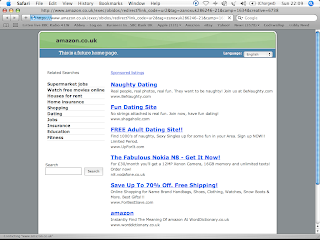
Shocking - www.amazon.co.uk disappears

Saturday, 13 November 2010
File Handles in the JVM
So far so good, but as the number of tests gradually increased we started to get failures apparently at random. I suspected that the setup fixture was not deleting all the files out of the input and output folders, so increased the rigour of this method by invoking the FileUtils deleteDirectory method and throwing a runtime exception if it failed even after five retries.
It turned out that this was frequently failing because some process was keeping file handles open on files within the test folder hierarchy. Under Windows, this prevents the containing folder from being deleted or moved. We suspected virus checkers, search indexers and the like, but it turned out to be the Fit test harness itself. Even though we had taken great care to flush and close every file stream used by our Fit fixtures, the VM was not always releasing the corresponding file handles and so the next invocation of the setup fixture failed.
The answer turned out to be surprisingly simple: invoke the garbage collector and finalizer before retrying the call to deleteDirectory. Now it works every time!
Code sample:
...
import static org.apache.commons.io.FileUtils.deleteDirectory;
...
public static void zapDirectory(String path) {
...
File directory = new File(path);
for (int i = RETRY_COUNT; directory.exists(); i--) {
try {
deleteDirectory(directory);
} catch(IOException e) {
if (i <= 0) {
throw new RuntimeException("Cannot delete folder \"
+ path + "\" because: " + e.getMessage());
}
try {
System.gc();
System.runFinalization();
Thread.sleep(SLEEP_INTERVAL);
} catch(InterruptedException e1) {
// don't care if interrupted
}
}
if (directory.exists()) {
throw new RuntimeException("Cannot delete folder \"
+ path + "\" for an unknown reason");
}
}
}
Monday, 2 August 2010
Migrating a Subversion repository
In my current project, there are a number of development teams whose code repositories have grown, separately or together, in a somewhat haphazard fashion. As part of the initiative to introduce a more streamlined development process, therefore, I want to host all repositories on one server and reorganise them in a more uniform and logical way.
Using Subversion, it is relatively straightforward to move whole repositories, but taking one branch out of an existing one to add to a new repository (without losing the change history!) turns out to be surprisingly hard. After much experimentation, the best way turns out to be via Mercurial's excellent "convert" extension. Unfortunately, conversion from Hg to Subversion simply fails under Windows, so you need to use Linux.
This particular customer has a totally Windows-based infrastructure, as well as a particularly draconian firewall that uses Windows authentication exclusively. The following recipe therefore had to take that into account. Names have been blanked out where necessary to preserve client confidentiality.
- Install the VMWare player and a Linux appliance, such as the Ubuntu 10.04 LTS image with VMware Tools.
- Lightly edit the VMWare virtual machine configuration file (Ubuntu.vmx) to ensure that it has at least 1024MB of RAM. Start up the Linux VM and upgrade existing packages. This turns out to be a little more difficult than you might expect, because the Synaptic package manager (unlike Firefox) is unable to pass your Windows username and password as NTLM credentials to the network proxy server. Therefore you have to proceed as follows:
- Make sure that the VMWare player's network connection is set to "NAT"
- In System -> Preferences -> Network Proxy, set the manual HTTP proxy to the server and and port that your Windows web browser uses. If the Web browser's Internet settings nominate a proxy auto-configuration script, you may be able to use that instead. Don't forget to set your Windows username and password. Apply system-wide (you will have to supply your Linux user password twice).
- Open Firefox and navigate to http://sourceforge.net/projects/cntlm/ - download the .deb package and allow the package installer to install it. This is a local proxy server that logs onto the firewall on your behalf.
- Now configure the cntlm service as follows:
- As superuser, edit /etc/cntlm.conf and set the following values (see the documentation):
- Username (your Windows user ID)
- Domain (your Windows domain)
- Workstation (your PC name - not the full FQDN)
- Proxy (proxy FQDN:proxy port)
- Proxy (backup proxy FQDN:proxy port)
- Listen 3128
- Make sure that the permissions on cntlm.conf are -rw-r--r--
- As a normal user, run the following command:
cntlm -v -I -M http://test.com - Copy and paste the resulting profile (the lines between -------------- markers) into the cntlm.conf file - search for "#Auth" to find the insertion point
- As the superuser, start up the cntlm service:
/etc/init.d/cntlm start
- As superuser, edit /etc/cntlm.conf and set the following values (see the documentation):
- In System -> Preferences -> Network Proxy, set the manual HTTP and FTP proxy servers to localhost and port 3128. Username and password should still be your Windows credentials. Apply system-wide as before. Shutdown Firefox and open it again to check that the proxy settings are correct.
- Open System -> Administration -> Synaptic Package Manager (it will request your Linux user password). Go to Settings and configure a manual proxy just as in System Preferences.
- Still in the package manager, click Reload. You should see the package files being downloaded successfully. Click "Mark All Upgrades".
- Still in the package manager, type "subversion" into the search box. Mark both "subversion" and its dependencies and "python-subversion" for installation. Similarly for "mercurial". Finally, click "apply", click the Apply button, and sit back.
- Part way through the installation process, you may encounter a warning that the Linux system image cannot be safely installed without GRUB. However, the grub loader has been superseded by grub-pc, so you can safely ignore this (click the "go ahead without grub" checkbox).
- You can also upgrade the VMWare tools, which the player will claim are out of date. This is of unproven usefulness. It doesn't take terribly long, so you may as well. After downloading the upgrade, VMWare Player mounts it as a CD image under /media (run "df" to find out what it's called). The trick is to unzip from there into /tmp or your home directory, because the mounted volume is read-only. Then run "sudo perl <install-script>" to upgrade the software.
- Assuming all has gone well, you should now be able to run Mercurial and Subversion from the command line. Test it by running the following commands:
hg help
svn help
svnadmin help - You need to cache the subversion authentication parameters in order that Mercurial can invoke subversion non-interactively. To do this, make sure you are logged in as an ordinary user (not root) and run:
svn log -l 2 REPOSITORY_URL
where REPOSITORY_URL is the address of the repository from which you wish to migrate a branch.
When prompted for the "user" password, just hit return. Now enter the username of a real user with access to the target repository, and hit RETURN. Next enter that user's password and hit RETURN. You should be rewarded with two lines of history from that repository. - You must enable the convert extension by uncommenting the line containing "hgext.convert =" in /etc/mercurial/hgrc.d/hgext.rc.
- Now you're all set to do the export. Create a folder (e.g. "repo_migration") and change directory into it. Create a file-mapping file such as myproject_mapping.txt:
include branches/Development/myproject
rename branches/Development/myproject trunk
See the hg convert documentation for details of the mapping format. - The following command does the business. It will probably process around 100 revisions per minute on average, so you've got time to make lots of cups of tea:
- hg convert -d svn --filemap myproject_mapping.txt -s svn REPOSITORY_URL NEW_REPOSITORY
where REPOSITORY_URL is the address of the repository from which you are migrating, and NEW_REPOSITORY is the name of the local Subversion repository you want to create as the result. - If the conversion starts to slow down, you can open a second terminal and, as superuser, set the nice level of the running hg process to -20, which should increase its priority to maximum. I'm not sure how much this helps, since the process seems mainly network-bound.
- Finally, copy the new local repository to a location from which your Subversion server can serve it, and Bob's your parent's brother.
It has just occurred to me that the reason this doesn't work under Windows is probably because we didn't have the python-subversion package installed. However, that is just a guess because the diagnostics given (exit code 1) provided no clue.
Ideally of course, you should just export the existing repository to Mercurial and let everyone use that instead of Subversion from now on. Unfortunately some tools we want to use, such as JIRA are not yet Mercurial-aware. Besides, we don't want to incur the overhead of training developers to work with a new SCM tool - it isn't that long since they even began to use Subversion.
Sunday, 1 August 2010
Custom image folder for Joomla Contacts
Because my church web site has a large number of contacts, I wanted to put all the photos in their own folder. Joomla's Contacts component normally expects photos to be stored at the default image location, /images/stories. I have a folder named portraits under this folder, but Joomla doesn't recurse into it when you select an image in the contact form.
It turns out that you have to make only three small edits to get this working, but I spent a frustrating few hours investigating before I found out how. To save you the trouble, here's the recipe. All file paths are relative to the Joomla root.
- Edit /components/com_contact/views/contact/tmpl/default.php. On line 52, change
<?php echo JHTML::_('image', 'images/stories' . '/'.$this->contact->image, ...
to
<?php echo JHTML::_('image', 'images/stories/portraits' . '/'.$this->contact->image, ... - Edit /administrator/components/com_contact/admin.contact.php. On line 227, change
$lists['image'] = JHTML::_('list.images', 'image', $row->image );
to
$lists['image'] = JHTML::_('list.images', 'image', $row->image, NULL, '/images/stories/portraits/' ); - Edit /administrator/components/com_contact/admin.contact.html.php. On line 437, change
jsimg='../<?php echo $cparams->get('image_path'); ?>/' + ...
to
jsimg='../<?php echo $cparams->get('image_path'); ?>/portraits/' + ...
Afterwards, you will have to open each contact you've previously created and select the portrait anew. I did try doing a bulk edit by exporting the contacts table to CSV and globally replacing, but that was a dismal failure.
The Joomla maintainers are apparently part way through parameterising the location of the stories folder (see the call to get('image_path') above). Ideally the location of the portraits would be a separate parameter. I didn't have time to do this, but this investigation clearly reveals the places where the parameter would need to be used.